Reviewing documents
Approve, request changes or reject — with AI findings marked right on the page.
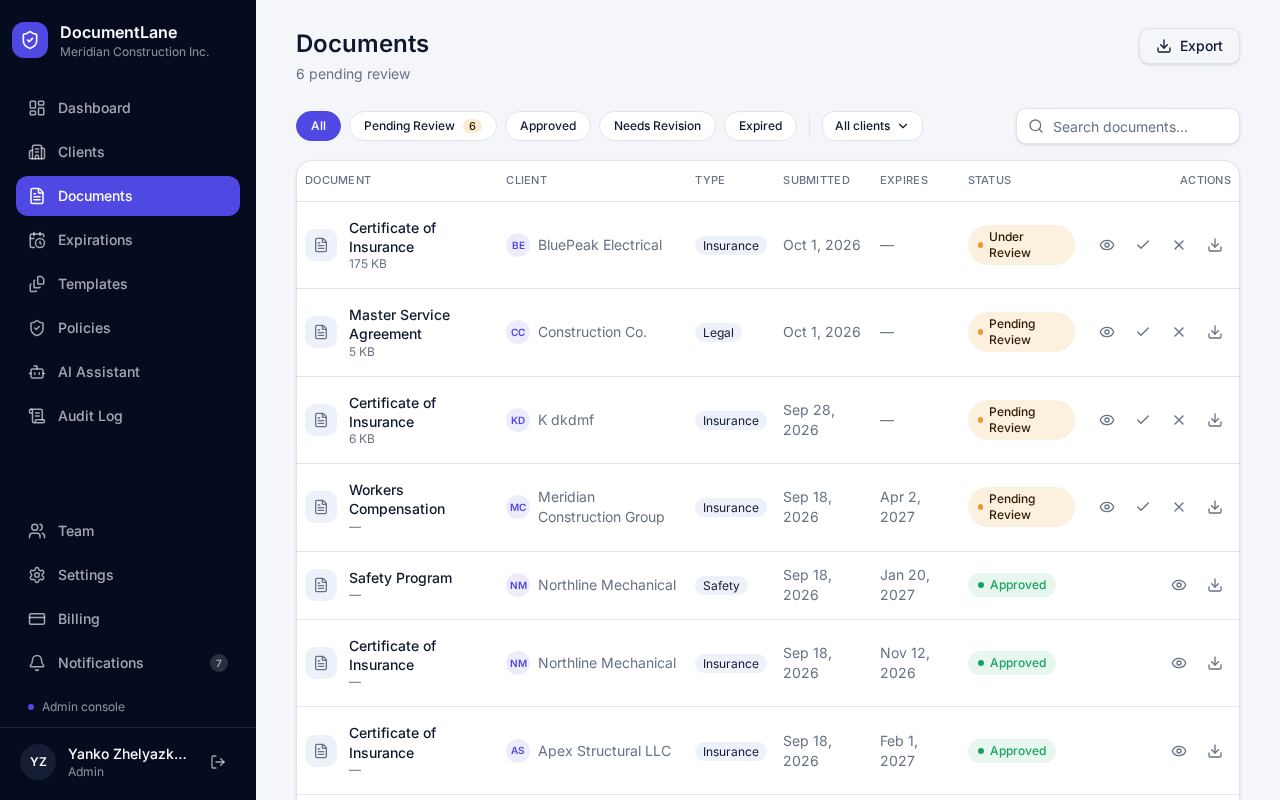
The documents list
Filter by status (Pending Review, Approved, Needs Revision, Expired) or by client, search by name, and export the list to a spreadsheet. Pending documents can be approved straight from the list.
The review screen
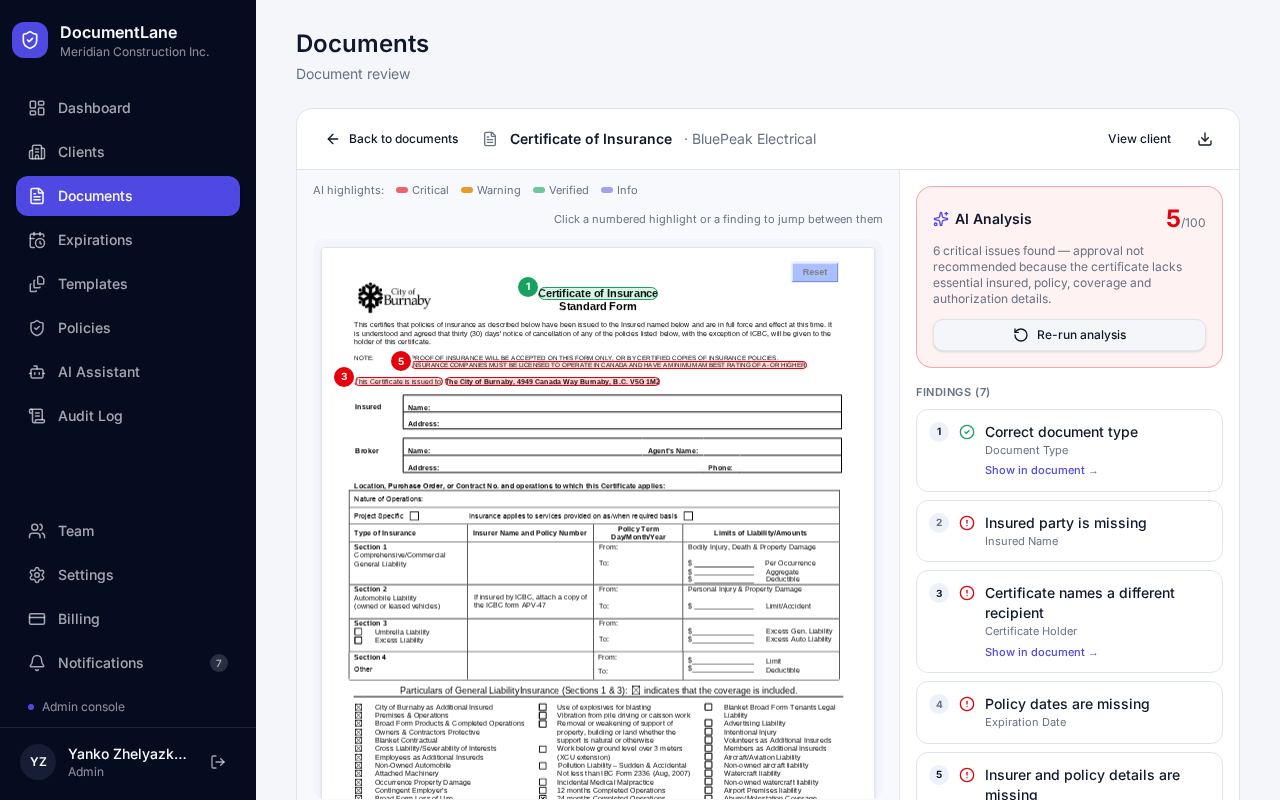
Click a document to open it. On Professional plans, AI checks each upload automatically and marks what it finds on the document: red for critical, amber for warnings, green for verified, blue for information.
Click a numbered mark to jump to the finding, or click Show in document on a finding to jump to the page.
Making a decision
- Accept: the document is approved. You'll be asked to confirm if there are critical findings.
- Request changes: a note is required. The client can upload a new version.
- Reject: a note is required and you'll be asked to confirm.
Still stuck? Email hello@documentlane.com.