 DocumentLane
Using electronic signatures
Let clients sign agreements online in their portal instead of printing and scanning.
Turn on e-signatures
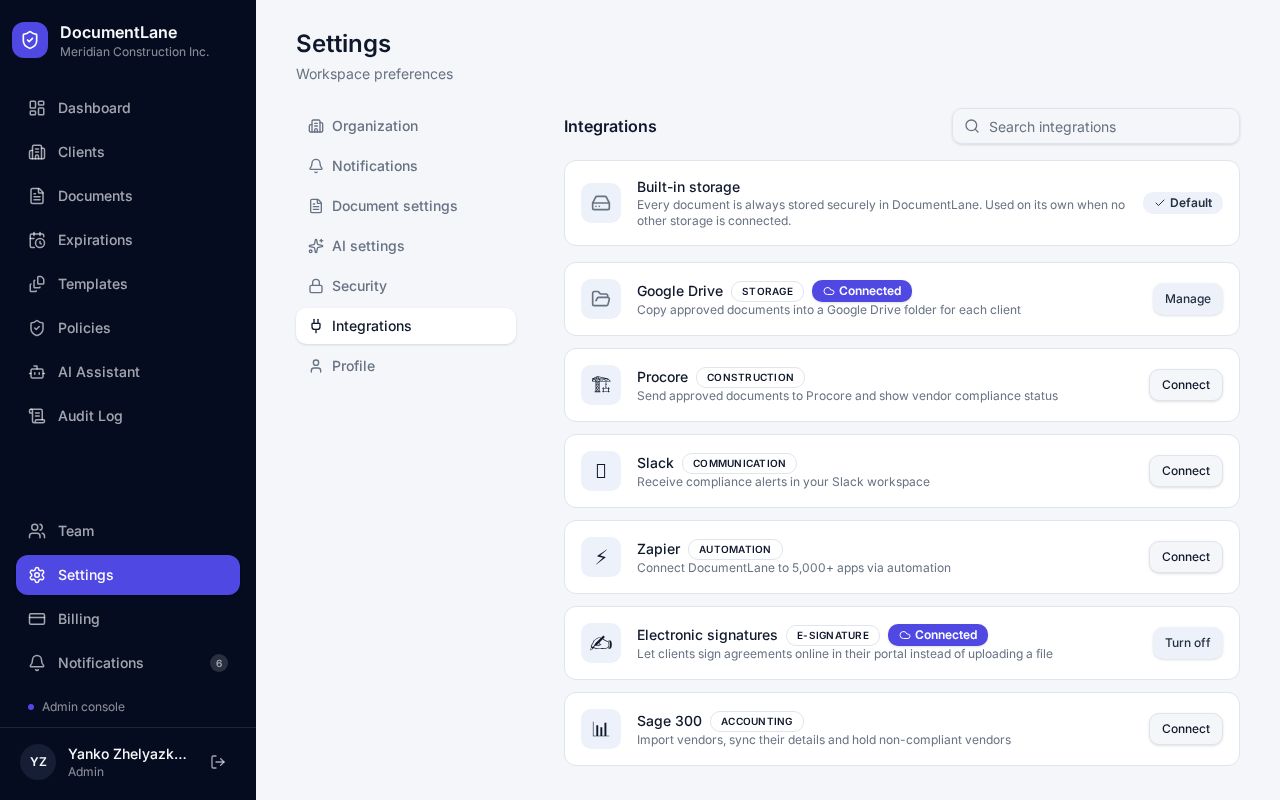
- 1Open Settings → Integrations.
- 2Find Electronic signatures and switch it on. Only workspace admins can do this.
E-signatures are included on the Professional and Enterprise plans.
Ask for a signature
Clients assigned that template will see a Sign button next to the requirement in their portal.
- 1Open a template and select the requirement that needs signing, such as a subcontract agreement.
- 2Set Submission to Sign online instead of Upload file.
- 3Add instructions if you like, then save and publish the template.
How your client signs
- 1The client clicks Sign and reads the document.
- 2They draw or type their signature, then enter their name and title.
- 3They tick the consent box and submit.
What gets saved
- A signed PDF with an audit certificate, stored with the client's documents.
- The signer's name, title, consent, time and IP address, plus a fingerprint of the document.
- The signed document arrives for review like any other upload.
Signatures meet US ESIGN/UETA and Canadian PIPEDA requirements for electronic records.
Still stuck? Email hello@documentlane.ai.